Panic Analyzer
Free iPhone panic log analyzer
Upload a panic log to see repair targets, supporting quotes, and recommended next checks.
Panic-log contents, filenames, evidence quotes, and full reports stay on this device. We store anonymous usage plus a limited diagnostic summary—recognized codes, controlled event and warning flags, returned rule IDs, scores, confidence, supported watchdog services and counters, and completion status—to improve the tool. If no rule matches, you can separately review and choose to send a short diagnostic excerpt for private review. We also count visits and checks by approximate country and U.S. state, without storing IP addresses in these analytics.
Engine 4.0.0-sandbox.3
Understand your iPhone panic-full log
IC Panic Log Tool reads .ips panic logs and ranks inspection targets using the evidence in the file. Review the quoted lines, model information, and suggested checks before making a repair decision.
How to find and read an iPhone panic log →Meet your next bench tool · By Alex Smart Tech
FREE
BenchMap
Every part. Every screw. Every step.
Found your next repair target? Keep the hands-on work organized with a visual repair workspace. Document the job, map parts on photos, and build a clear record to follow when it is time to put everything back together.
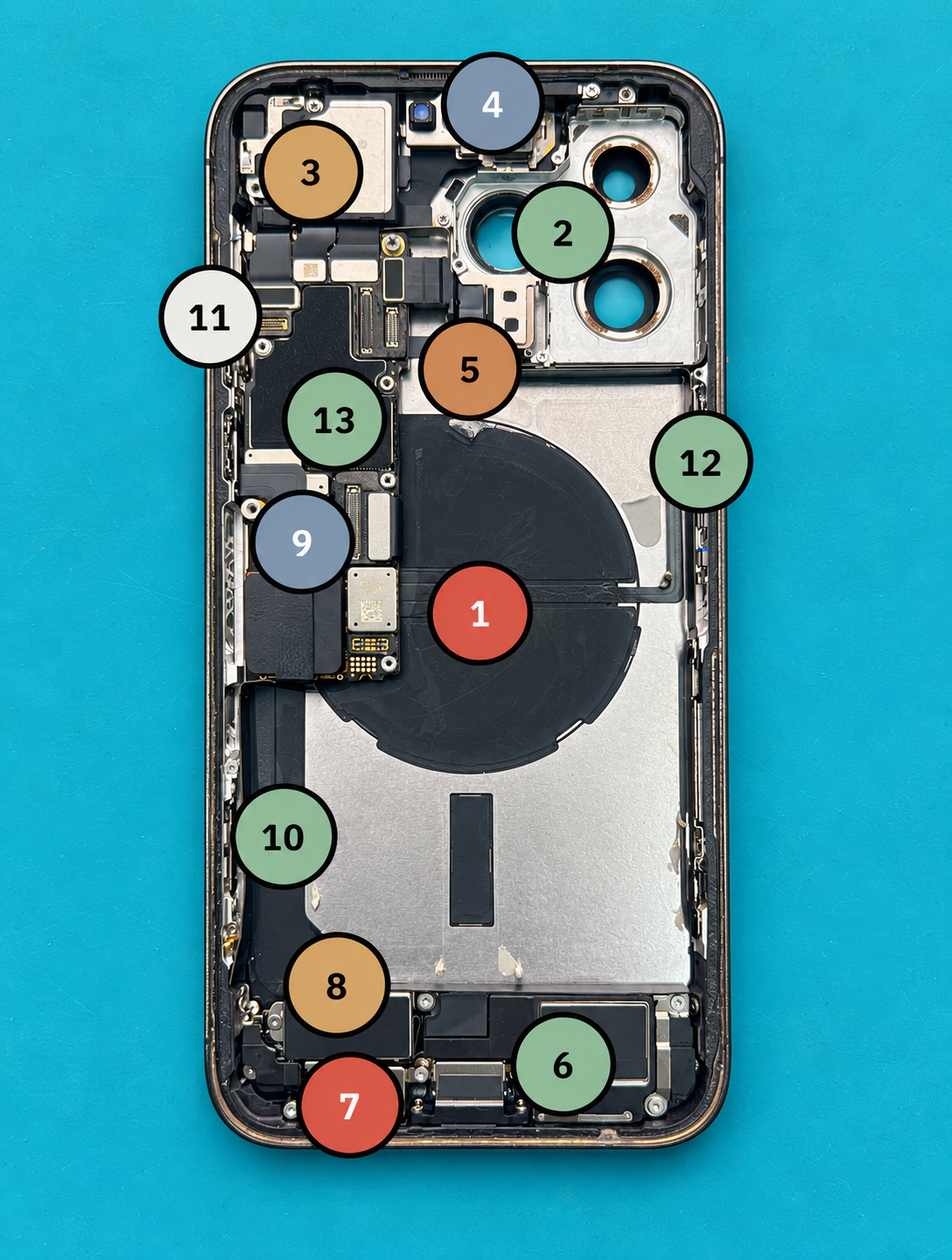
Photo markers + repair steps
Keep job photos, part locations, and step-by-step repair protocols together so you can retrace your work.
Save progress + recover drafts
Save your job and see when it was saved and whether it is on this device or in your account. Return to unfinished step and protocol drafts.
Printable tray mats
Print a labeled tray layout to organize removed parts and screws, plus a protocol sheet to keep beside your repair.
Parts + screw tally
See part and screw totals grouped for the job. The screw tally also appears at the end of the printed protocol.
Share + reusable templates
Turn protocols into templates for future repairs. Signed-in users can share a separate copy, including photos, with another existing account.
Shop Desk connection
For the authorized shop owner, send parts into the connected Shop Desk’s BenchMap orders list. This action requires sign-in and owner access.
Opens in a new tab · Keep your panic-log analysis open while you work.